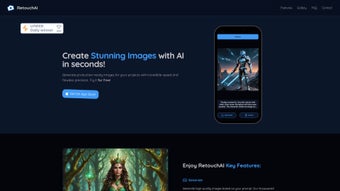

Download RetouchAI – AI‑Powered Photo Editing Tool for Fast, Secure Enhancements
Overview
RetouchAI is a cutting‑edge web‑based application that brings the power of artificial intelligence to everyday photo editing. Designed for both hobbyists and professionals, the platform eliminates the steep learning curve of traditional image‑manipulation software by offering four intuitive, AI‑driven modules: Generate, which creates brand‑new images from textual prompts; Outpaint, which intelligently expands the canvas while preserving style; Inpaint, which lets you edit specific regions without affecting the rest of the picture; and Erase, a one‑click solution for removing unwanted objects. Users can test the service with a limited free trial, after which they purchase credit packs for continued use.
Currently, RetouchAI is available exclusively on iOS, delivering a smooth, native experience on iPhones and iPads. Future plans include an Android release, which will broaden accessibility to millions of additional users. Whether you need to touch up a family photo, create marketing visuals, or generate concept art, RetouchAI promises high‑quality results without the complexity of Photoshop or GIMP.
The platform’s cloud‑based architecture ensures that all processing happens securely on remote servers, meaning you don’t need a powerful device to achieve professional‑grade edits. With regular updates, a responsive support team, and a simple credit‑based pricing model, RetouchAI positions itself as a reliable, affordable alternative for anyone who wants to edit images quickly, securely, and creatively. In addition to its core AI tools, the app includes built‑in tutorials, a community gallery for inspiration, and an automated backup system that stores a short‑term copy of each edit for easy restoration.
Security‑focused users will appreciate end‑to‑end encryption and a strict no‑retention policy that deletes images from the server within minutes after processing. By combining cutting‑edge diffusion models with a user‑centric design, RetouchAI makes AI‑enhanced photo editing feel natural, fast, and safe for every user.
Core Features That Redefine Photo Editing
- Generate: Transform textual descriptions into vivid, high‑resolution images using state‑of‑the‑art diffusion models.
- Outpaint: Seamlessly extend the borders of an existing photo, adding new scenery or background elements that match lighting and texture.
- Inpaint: Select any area of an image and let the AI fill it with context‑aware content, perfect for retouching blemishes or altering objects.
- Erase: Remove unwanted items—people, wires, logos—with a single tap, and watch the AI reconstruct the background naturally.
- Credit‑Based Usage: Start with a free trial, then purchase flexible credit packs that unlock unlimited edits without subscription lock‑ins.
- Cross‑Device Sync: All edits are stored in the cloud, allowing you to continue work on any iOS device without losing progress.
- Secure Processing: Images are encrypted during upload and never stored permanently on RetouchAI’s servers.
- Regular AI Model Updates: The platform receives monthly model improvements, ensuring sharper results and new creative capabilities.
Each feature is built around the principle of “effortless creativity.” For example, the Generate module uses a prompt language that feels natural—type “sunset over a lavender field with a vintage bicycle” and receive a ready‑to‑use image in seconds. Outpaint works especially well for social‑media designers who need to adapt a square photo into a panoramic banner without compromising composition. Inpaint’s precision masking eliminates the need for manual layer work, while Erase’s one‑click removal is ideal for quick fixes on the go.
The credit system gives you full control over spending: you buy only what you need, and there are no hidden fees. Because the heavy AI lifting happens in the cloud, even older iPhone models can run RetouchAI smoothly, making it an inclusive tool for a broad audience. Whether you’re a freelance marketer, an Instagram influencer, or a casual user who simply wants better family photos, RetouchAI’s feature set is tailored to deliver professional outcomes with minimal effort.
Installation, Setup, and Step‑by‑Step Usage Guide
Getting started with RetouchAI is straightforward, especially if you’re already familiar with iOS apps. Follow these steps to download, install, and begin editing your first image:
- Download from the App Store: Open the Apple App Store on your iPhone or iPad, search for “RetouchAI,” and tap Get. The download size is under 120 MB, so a typical 4G or Wi‑Fi connection will complete it in under a minute.
- Create an Account: Launch the app and sign up using your email address or Apple ID. A verification email is sent automatically; click the link to activate your account.
- Free Trial Activation: Upon first login, you receive 10 free credits. These can be used on any of the four core tools. No payment information is required to start the trial.
- Import Your Photo: Tap the + Add Photo button and choose an image from your camera roll, Files app, or directly from cloud storage services like iCloud or Dropbox.
- Select a Tool: Choose between Generate, Outpaint, Inpaint, or Erase. Each tool presents a clean UI with context‑aware sliders and preview windows.
- Provide Input: For Generate, type a descriptive prompt. For Outpaint, drag the canvas edge to the desired size. For Inpaint and Erase, use your finger or Apple Pencil to paint over the area you want to modify.
- Adjust Settings: Fine‑tune parameters such as “Creativity,” “Resolution,” or “Mask Feather” using the sliders. Real‑time previews let you see how changes affect the result.
- Process the Image: Hit Run AI. The cloud server processes the request within 5‑15 seconds for most images, depending on resolution.
- Review & Save: Once the AI finishes, compare the before/after view. If satisfied, tap Save to store the edited image back to your device or share directly to Instagram, TikTok, or email.
- Purchase Additional Credits: If you run out of free credits, tap Buy Credits in the Settings menu. Packages start at $4.99 for 50 credits and scale up for bulk discounts.
The entire workflow is designed for speed. Because the heavy computation occurs on RetouchAI’s secure servers, your device’s battery and CPU usage remain minimal. The app also supports iOS 13 and later, ensuring compatibility with most modern iPhones and iPads. If you encounter any issues, the built‑in Help Center offers video tutorials, troubleshooting guides, and a live chat option that connects you with the support team within minutes.
Compatibility, Pros & Cons, Frequently Asked Questions, and Final Verdict
Compatibility
RetouchAI is currently optimized for iOS devices (iPhone 6S or newer, iPad 5th Gen or newer) running iOS 13 or later. The app takes advantage of Apple’s Metal framework for smooth UI rendering and supports both Light and Dark mode. While an Android version is slated for release in late 2025, the current iOS‑only availability means Windows, macOS, and Linux users must rely on a compatible iPhone or iPad for editing.
Pros & Cons
- Pros:
- AI‑driven tools dramatically reduce editing time.
- Intuitive, touch‑friendly interface ideal for on‑the‑go editing.
- Credit‑based pricing offers flexibility without subscription lock‑ins.
- Secure cloud processing protects user privacy.
- Regular model updates keep the technology state‑of‑the‑art.
- Cons:
- Limited to iOS; Android and desktop users must wait for future releases.
- Requires an internet connection for every edit.
- Free trial provides only a small number of credits.
- Advanced users may miss granular controls found in Photoshop.
Frequently Asked Questions
How many free credits do I receive when I first sign up?
New users are granted 10 free credits, which can be used across any of the four AI tools. No payment information is required to access the trial.
Can I use RetouchAI without an internet connection?
No. All AI processing happens on RetouchAI’s cloud servers, so an active internet connection is required for every edit.
What file formats does RetouchAI support for import and export?
The app accepts JPEG, PNG, and HEIC for import. Edited images can be exported as JPEG or PNG, with an optional lossless PNG output for higher quality.
How are my photos protected during processing?
All uploads are encrypted in transit (TLS 1.2) and processed on secure servers that do not retain images after the job completes. RetouchAI’s privacy policy guarantees that your data is not used for training other models.
When will the Android version be available?
The development team has announced an Android rollout planned for Q4 2025. Existing iOS users will receive a notification when the version becomes publicly available.
Conclusion & Call to Action
RetouchAI stands out as a powerful, user‑friendly solution for anyone who wants to harness AI for photo editing without diving into complex software suites. Its four core tools—Generate, Outpaint, Inpaint, and Erase—cover the majority of everyday editing scenarios, from creative image generation to precise object removal. While the iOS‑only limitation may be a drawback for some, the app’s secure cloud architecture, flexible credit system, and regular AI updates make it a compelling choice for mobile creators. If you’re looking to boost your visual content workflow, improve personal photos, or experiment with AI‑driven art, RetouchAI delivers high‑quality results in seconds. Download RetouchAI today from the App Store, claim your free credits, and experience the future of photo editing at your fingertips.



.png)



